The “Kishore Vaigyanik Protsahan Yojana” (KVPY) is conducted by the Department of Science and Technology (DST), Government of India to encourage students who are studying Basic Sciences to take up research career in Science, KVPY exam 2015 will be held on 1st Nov 2015 and application forms will be available online from 12th July 2015 to 30th Aug 2015. The candidates who have successfully applied for the KVPY 2015 exam, can download their admit cards from 10th Oct 2015 online from the official website.
It is important for the KVPY aspirants to fill in the application form and register for the scholarship program. Students can find the KVPY 2015 Application Form on it’s official website here: http://www.kvpy.iisc.ernet.in/main/applications.htm
IMPORTANT STEPS TO BE FOLLOWED TO FILL THE ONLINE APPLICATION:
Step 1: Candidates are first required to go to the KVPY website http://www.kvpy.iisc.ernet.in/ where you will find the following links
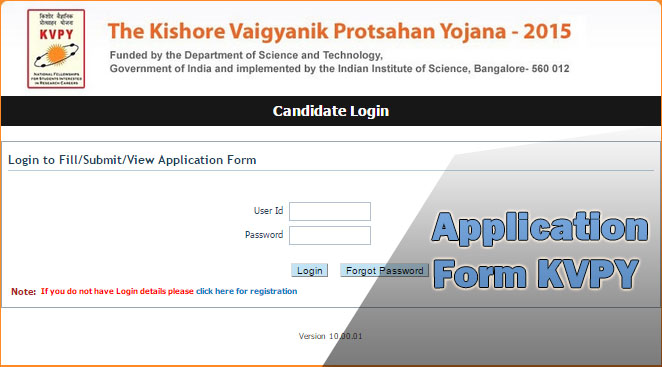
Step 2: Make a note of the eligibility criteria and important dates. Click on the link “Online Application for KVPY 2015”. You will be directed to the Login Page.
Step 3: If you are a first time user, you will have to first register by clicking on the link provided for registration.
Step 4: If you have received your User ID and Password, login from the candidate login Page using your Candidate ID and Password.
After logging in with your Candidate ID and Password you can:
Step 5: After filling in all your mandatory details, click on “Preview Application” to view your filled application and verify the details entered by you.
Step 6: If you choose to pay the exam fees Online, you can pay your fees either through Internet Banking, Credit card or Debit card.
Step 7: After completion of your payment either through online or challan click on the “Submit” button, to complete the payment process, You will get a message on top of the Application Form as “Your Application is on Scrutiny”.
Step 8: On the Login Page, login using the User ID and Password which you received on your E-Mail/Mobile and take a printout of your submitted application. Keep a copy of the submitted application for your reference and safe keep. You will need to carry this copy during interview.
NOTE :
Direct Link, Important Dates, and Reporting Guidelines The Medical Counselling Committee (MCC) officially declared the…
Smart Study Strategies to Strengthen Concepts, Improve Accuracy and Boost JEE & NEET Preparation Preparing…
ALLEN Sharp on November 1, chance to get up to 90% scholarship ALLEN Career Institute…
ALLEN Sharp on November 1, chance to get up to 90% scholarship ALLEN Career Institute…
ALLEN Sharp on November 1, chance to get up to 90% scholarship ALLEN Career Institute…
ALLEN Sharp on November 29, chance to get up to 90% scholarship ALLEN Career Institute…